
Check that Google Analytics™ 4 and the Meta Pixel send what your measurement plan says.
Tracklint adds a panel to Chrome DevTools. Record a journey through the site (product, cart, checkout…), check the captured events against your plan or a ready-made template, and hand your client the evidence.
What it checks
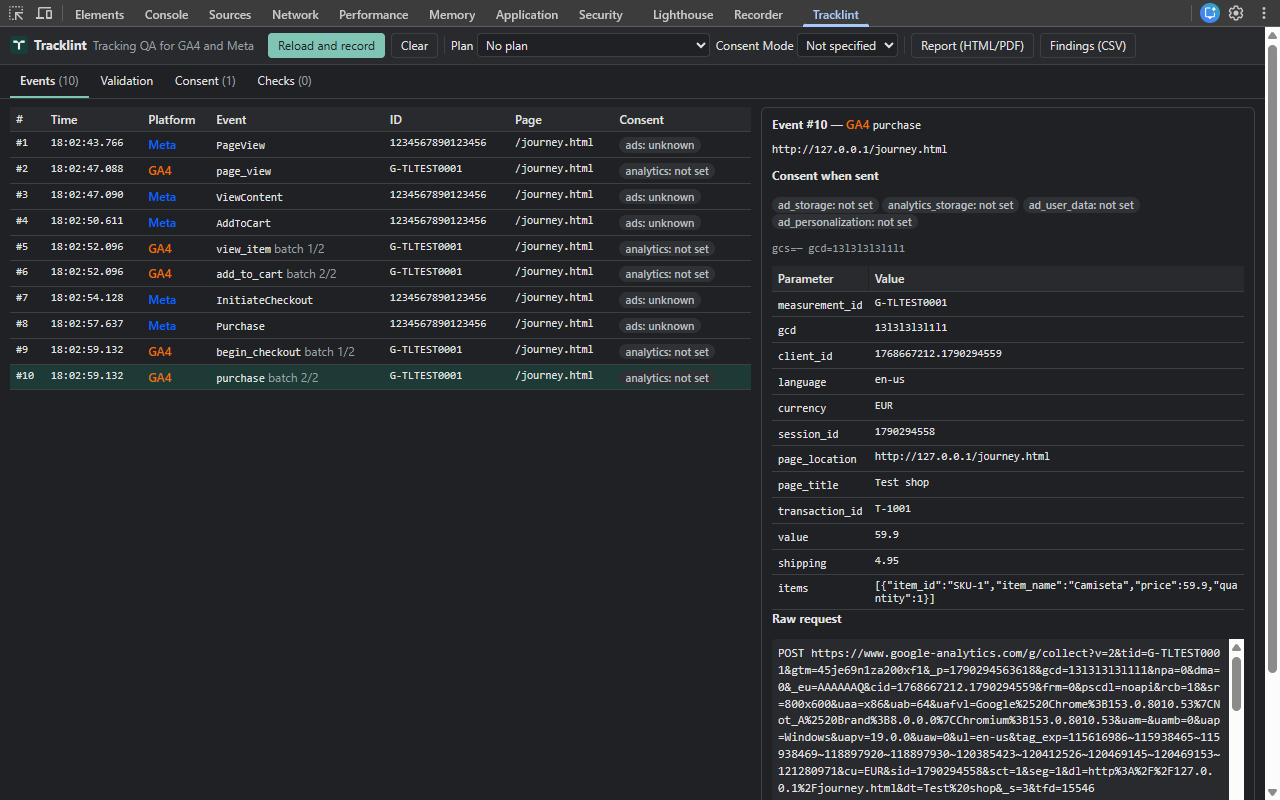
Live events
The GA4 and Meta Pixel requests it captures, with decoded parameters, items and consent state: GA4 hits to a /g/collect path (including batches and server-side tagging endpoints that keep that path) and Meta Pixel hits to facebook.com/tr.
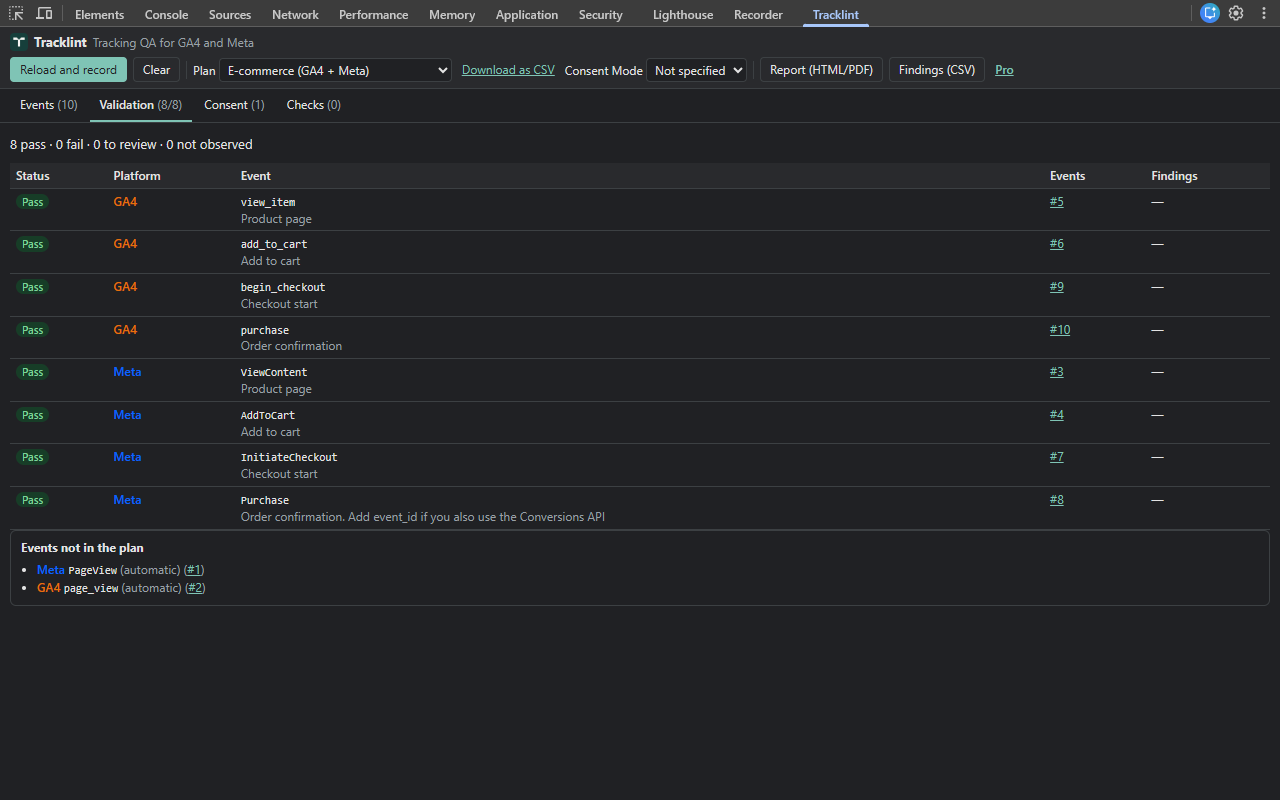
Your measurement plan
Check captured events against a plan in Tracklint's CSV format or an editable template: required parameters, rules (value > 0, currency format, every item has an ID…), how many times an event may be sent, events sent to an unexpected ID, and events that must never fire.
Consent
For the events your plan marks as needing consent (the EU template does this for you), it reads the consent signals of Google's tag and flags Meta Pixel events sent while ad_storage was denied. It does not read your cookie banner directly, and says "review" when the order of events is uncertain.
GA4 vs Meta Pixel
Compares GA4 purchases with Meta Pixel Purchases when they can be related (a common order ID, or one order on each side): value, currency and number of orders. Unrelated purchases are reported as not compared.
Automatic checks
Emails sent in parameters, advanced matching fields not in SHA-256 hash format, values that are not numbers, currency codes outside Tracklint's supported list, a GA4 value that is not the sum of the items, and page views or standard conversions sent twice with identical data within 1.5 seconds.
Client-ready report
Export an HTML report (print to PDF) and a findings CSV. Client, session and user IDs, user properties and advanced matching data are hidden and emails are masked automatically; other values are shown as sent, so check the report before sharing it.
Pricing
Free
- Live event inspector
- Consent timeline
- Automatic checks
- Preview of plan validation with no time limit: the summary, each plan row's status and one first finding, if any
Pro
- Everything in Free
- Every finding of the validation against your plan or a template, including events and IDs outside your plan
- GA4 vs Meta Pixel comparison
- Report (HTML you can print to PDF) and CSV exports
Taxes are calculated at checkout. See the refund policy and the terms.
Private by design
The analysis runs in your browser. Tracklint has no server of its own and no analytics, needs no account to inspect, and never sends the data it inspects anywhere. It asks for no website permissions: it works inside DevTools on the tab you inspect. The only requests Tracklint itself makes are license requests (activation, checks and release) to Freemius, our payment provider. Read the privacy policy.
Guides
Contact
Questions, bugs or billing: montherionlabs@gmail.com